Workplace for Mac v10 is supported on Apple M1 and newer chips, but you must take some steps in order for it to work properly.
Workplace utilizes kernel extensions to mount the Workplace volume, which allows it to access files on your Mac. Users with M1 and newer devices must enable Reduced Security mode in order to run applications that use kernel extensions.
Requirements
- Workplace v10.2.6 or later
- macOS 11.3.1 or later
NOTE If you are using macOS 27, download the updated version of the Datto Workplace Desktop Client using the below link:
Download the macOS 27 installer
 Installing Workplace v10 on Apple Silicon (M1 and newer) devices
- Download the latest Workplace installer here and double click the app to install.
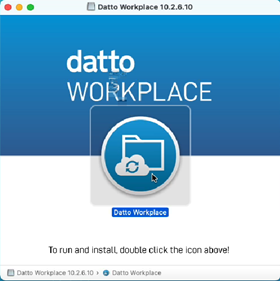
NOTE Install Rosetta if you are prompted to do so.
- Accept all OS prompts.
- Follow the screen instructions to complete the Workplace setup process.
- When you are prompted to install a helper tool, authenticate with your OS credentials to continue.
- When prompted, open System Preferences.
- Click Unlock.
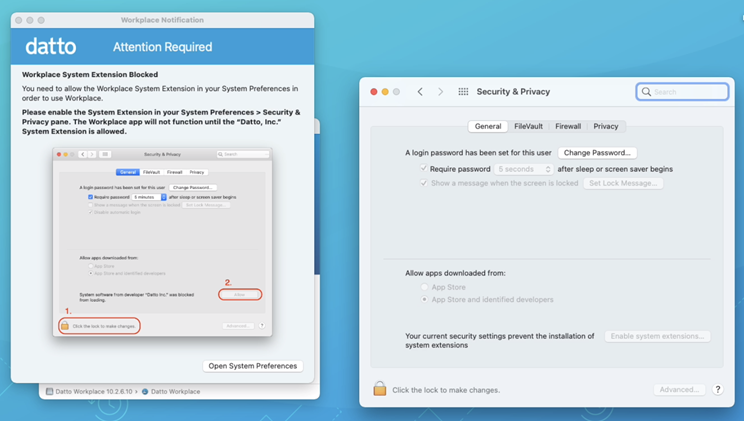
- Click Enable System Extensions.
- When prompted, click Shut Down
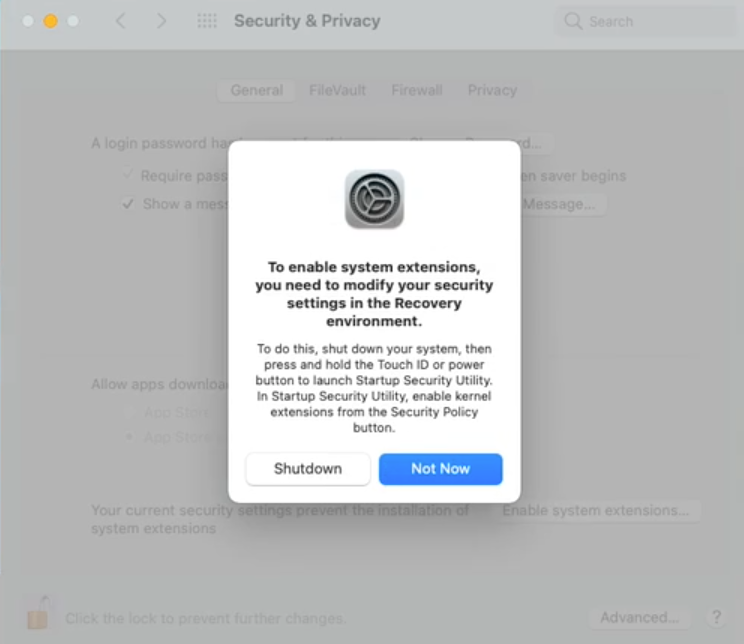
- Restart into recovery mode (hold down power button during machine startup).
NOTE We recommend referencing this Apple help article when changing the security level.
- Once in recovery mode, select Startup Security Utility from the Utilities menu.
- Select Reduced Security.
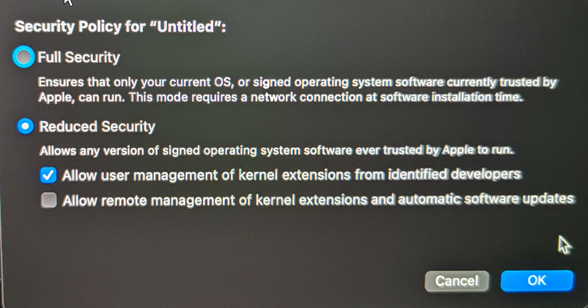
NOTE This is necessary in order for the system extension that mounts the Workplace virtual volume.
- Check the Allow User Management... sub-option.
- Click OK.
- When prompted, enter your OS admin credentials.
- Restart your computer.
- Once your machine has booted, Workplace should automatically launch and prompt you to open your System Preferences to allow further system software installations to complete. Open System Preferences when prompted.
- Click Unlock.
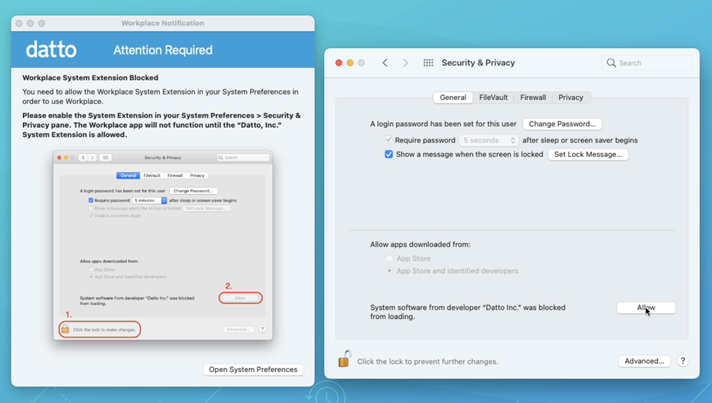
- Click Allow.
- Authenticate with your OS password.
- Click Restart.
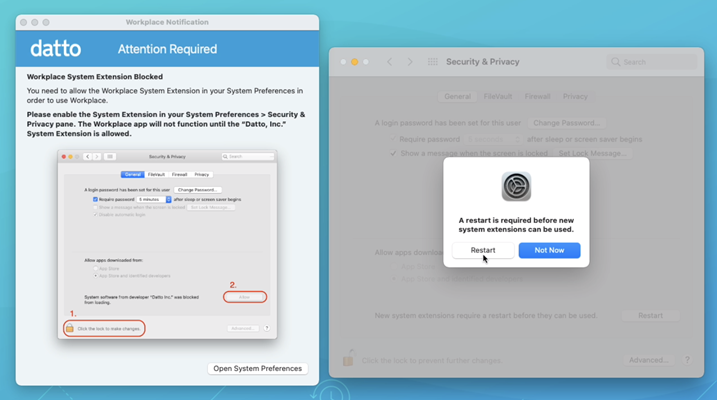
NOTE You may see additional prompts about being blocked. Simply click OK, then click Restart again.
- You're done!
NOTE If necessary, manually launch the Datto Workplace app.
Still not working?
You might have an extension conflict. Try this:
- Uninstall the Datto Workplace app. DO NOT retain data and settings.
- Delete the Datto Workplace app from the Applications folder, if it still shows.
- Launch Terminal (/Applications/Utilities/Terminal.app).
- Run
- Run
- Run
- Restart your machine.
- Install the latest Datto Workplace app.
It's also possible that Rosetta is not installed. To correct this:
- Launch Terminal (/Applications/Utilities/Terminal.app)
- Run
softwareupdate --install-rosetta
NOTE For more information, please refer to Install Rosetta.


